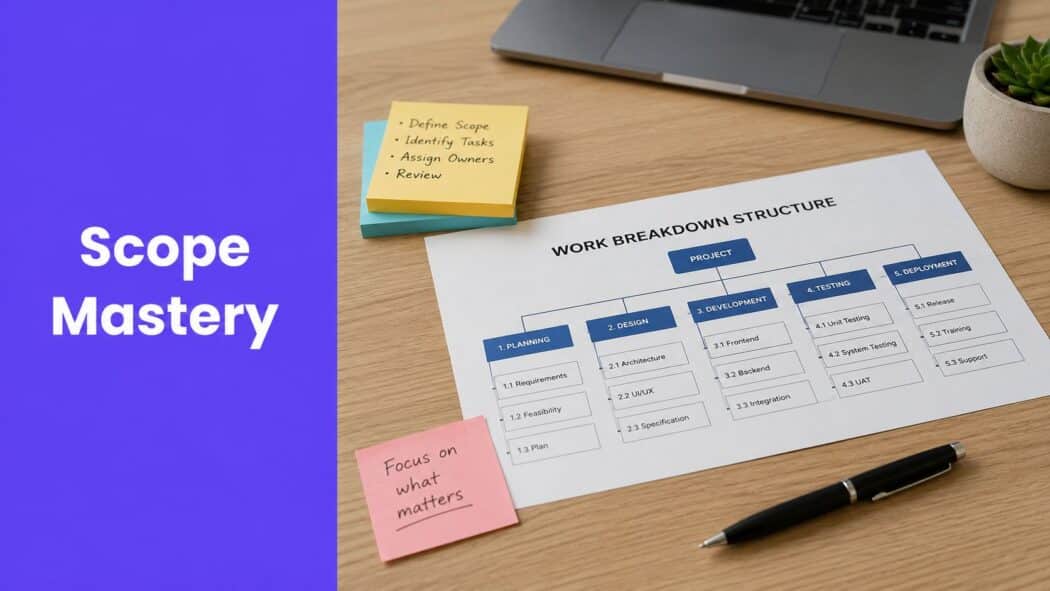
You're halfway through an Elementor build, the client keeps adding “small” requests, and every one of them feels harmless until the timeline starts slipping. That's scope creep, and it usually shows up in WordPress projects right when the design is getting polished and everyone thinks the hard part is over. The fix isn't a single document or a single meeting, it's a set of scope management techniques that keep requirements visible, decisions traceable, and changes controlled. For WordPress developers using Elementor and Exclusive Addons, that means turning abstract project discipline into something practical, like scoping widgets, templates, revisions, approvals, and launch criteria before the client starts improvising.
1. Work Breakdown Structure
A Work Breakdown Structure (WBS) is the fastest way to stop a WordPress project from turning into one giant blur. PMI describes scope management as identifying, defining, and documenting project objectives, then decomposing work into a common framework called the WBS. That sequence matters because it gives you an early control system, first define what's in scope, then break it into manageable parts, then use that baseline to control change through the lifecycle. PMI's scope management overview is still one of the clearest references for that logic.
For Elementor work, I like to break the project into layers that match how the site will be built. Discovery, page architecture, widget selection, template customization, responsive tuning, testing, and deployment each deserve their own branch. If the build uses Exclusive Addons, the WBS can get more specific, header and footer work, WooCommerce widget configuration, motion effects, dynamic content, and cross-site copy-paste setup all become separate work packages instead of vague “design tasks.”
Keep the structure useful, not decorative
A WBS should help the team estimate and execute, not become a diagram nobody opens again. Start with two or three levels, then expand only where the work is complex or risky. If a marketing site uses Exclusive Addons templates and a few custom sections, a small WBS is enough. If the site includes WooCommerce, sticky sections, Lottie animations, and multiple approval rounds, the extra detail pays for itself.
Practical rule: If a task can be misunderstood by a designer, developer, or client, it probably needs its own WBS line.
The biggest mistake is building the WBS alone and handing it to the team as a finished artifact. A developer notices hidden dependencies, a designer spots reusable components, and a project manager sees where approval gates belong. That's where the WBS becomes a real scope management technique instead of a planning exercise.
2. Scope Statement Document
A scope statement is the document that saves you when a client says, “I thought that was included.” It should spell out what the site will include, what it won't include, and what tools or features are part of the build. Adobe for Business recommends documenting exclusions, constraints, and measurable deliverables up front, then using formal evaluation and approval for new requests. That's exactly the mindset WordPress teams need when the project has multiple decision-makers and lots of creative freedom. Adobe's project scope definition guidance is especially useful here.
For Elementor projects, the scope statement needs client-friendly language with technical precision underneath. Say which Exclusive Addons features are included, which are Pro-only, and which customizations stop at configuration instead of custom development. If the project includes a portfolio site with sticky sections and Lottie animations, say that plainly. If it excludes custom plugin development or third-party payment gateway work, say that even more plainly.

A strong scope statement also creates better revision control. If the client asks for a new interactive section, you can point back to the signed document and ask whether it's a clarification, an enhancement, or a separate phase. That sounds rigid, but it makes approvals easier because nobody has to debate memory or intent.
For a practical starting point, use a template that makes client sign-off easier and keeps everyone reading from the same document. The website design brief template from Exclusive Addons fits well as a working companion to a formal scope statement, especially when you need to keep marketing stakeholders and developers aligned on the same page.
3. Requirements Traceability Matrix
A Requirements Traceability Matrix (RTM) keeps scope from disappearing between the kickoff call and the final handoff. It maps each requirement to a deliverable, implementation detail, and test or acceptance step. On WordPress projects, that means turning client language like “we want the homepage to feel more dynamic” into something specific, such as a motion effect, a widget configuration, and a visible acceptance criterion.
That level of mapping matters because creative projects often drift when the team builds what seems right instead of what was agreed. An RTM prevents that. If the client requested an animated product showcase, the matrix should point to the exact Exclusive Addons widget or configuration, the test case for mobile behavior, and the final approval step. If the request was a sticky navigation header, the RTM should show the implementation path and the device-level validation criteria.
Use the RTM as a live conversation tool
The best RTMs are shared, not hidden in a project manager's folder. A Google Sheet or Airtable base works well because designers, developers, and account managers can all update status without hunting through email threads. Status columns like Proposed, In Progress, Complete, and Tested make review meetings much cleaner, especially when a client asks whether a feature is done or just partially built.
A good RTM makes hidden work visible before it becomes disputed work.
For Elementor teams, the primary payoff is coverage. When a requirement maps to a widget, template, or custom config, gaps become obvious fast. If the deliverable column is empty, the team knows there's a problem. If the test column is vague, the team knows the acceptance criteria aren't strong enough. That's where the RTM becomes one of the most practical scope management techniques in day-to-day delivery.
4. Change Control Process
A change control process is where scope management turns from planning into governance. Major references describe scope control as relying on documented scope statements, a scope baseline, formal approval of changes, and stakeholder acceptance before work moves forward. The logic is simple, break the work into manageable components, compare actual execution against the baseline, then approve only the changes that survive review on timeline, budget, and resources. That shift from informal objectives to measurable control is a major reason scope management became a formal discipline in the first place, as noted in the historical overview from Anexas on scope management best practices.
In WordPress work, a change request should be easy to submit and hard to ignore. A one-page form is enough. It should capture the request, the reason, the impact, and the approval owner. If a client wants three extra WooCommerce product pages mid-build, the process should force a quick estimate, a clear decision, and an updated project record. If the request is really a clarification, it can move forward without cost. If it's an enhancement, it needs a formal yes.
Keep the friction low and the rules clear
Teams often fail here because they make change control feel bureaucratic. It doesn't need to be. The goal is to stop invisible work, not to punish clients for new ideas. A simple rule set is usually enough, clarifications are included, enhancements are billable, and every approved change gets written into the project file.

If a change touches timeline, budget, or resource allocation, it needs a decision, not a hallway conversation.
That rule is especially useful in Elementor projects because visual changes can look small while creating real downstream work. A new animation effect can trigger plugin requirements, responsive fixes, QA time, and client review cycles. Change control keeps those costs visible before they become unpaid labor.
5. Scope Verification and Sign-Off
Scope verification is the part of the project where you prove the work matches the agreement before the client starts using the site as if everything is already accepted. The formal process matters because it closes the gap between “built” and “approved.” Without it, post-launch disputes are almost guaranteed, especially when the client's memory of the brief is looser than the actual deliverables.
For Elementor builds, verification should be systematic. Check each agreed page, widget, template, animation, and responsive behavior against the scope statement. If the site includes WooCommerce widgets, test them. If the site includes Lottie animations, confirm they load where promised. If the header is supposed to stay sticky across devices, verify that behavior on the devices included in the project plan. The point is not to impress the client with extra polish, it's to confirm the contract-level work is done.
Make sign-off visible, not implied
The easiest way to weaken sign-off is to treat a friendly email as final acceptance. It isn't. Use a checklist during the review walkthrough, capture screenshots or short videos of key functionality, and get a dated approval from the decision-maker, not just the technical contact. If there are non-critical issues, put them in a punch list and separate them from the acceptance decision.
That distinction protects everyone. The client gets clarity on what's live and what's deferred. The team gets a clean closure point. The project file gets a record that can settle future questions without guesswork.
Scope verification is also where you should resist the urge to slip in extra fixes. Nice gestures create bad habits if they become expected. A crisp sign-off process teaches clients that delivery is real, review is real, and changes after approval belong to a new decision path.
6. Scope Creep Prevention and Management
A client asks for one more motion effect on a hero section. Then they want a different gallery layout, a new FAQ block, and a second pass on mobile spacing. In an Elementor build, those requests can look minor until they touch template structure, responsive checks, and the time needed to retest every widget that depends on the change.
Scope creep is easier to control when the team treats every request as a decision, not a favor. Adobe for Business recommends documenting exclusions, constraints, and deliverables up front, then evaluating new requests through a formal approval path. For a practical guide on handling that process, see how to handle scope creep. In agile work, the core skill is still the same, decide whether a new request belongs in the current phase or waits for the next one. Adobe's scope management guidance captures that trade-off well, because the issue is separating valuable change from uncontrolled expansion.
Boundaries need language the team can repeat
Developers and designers need wording they can use without improvising under pressure. “That fits better in phase 2” works because it redirects the request without arguing about its value. “I'll log that as a change request” works because it moves the conversation from chat to process. The team also needs a clear rule for when to escalate a boundary question instead of trying to solve it on the spot.
For WordPress builds, the strongest guardrails are simple and visible.
- Define revision limits early. Tell the client how many review rounds are included before extra work becomes billable.
- Track boundary questions. If the team keeps debating whether a request is in scope, that is a sign the scope statement is too loose or the handoff is inconsistent.
- Keep a parking lot list. Capture out-of-scope ideas so the client feels heard without turning the current build into a feature wish list.
- Review scope weekly. Short check-ins catch drift before it becomes a dispute over who approved what.
These habits matter more on Elementor sites than teams sometimes admit. A “small” request to swap in a different animation from the Exclusive Addons library can force a new round of performance testing, mobile behavior checks, and spacing adjustments across breakpoints. A request to add one more content block can also affect template inheritance, sticky header behavior, or how a WooCommerce widget fits on a narrower screen. The practical lesson is simple. Scope creep is not only a client behavior problem. It is often a boundary-setting problem inside the team. If developers, designers, and account managers answer differently, clients will keep asking because the process looks negotiable.
7. Scope Metrics and Monitoring
Scope gets easier to manage when you stop talking about it as a feeling and start tracking it as a pattern. Contemporary guidance frames scope metrics as quantitative measures used to assess project scope performance, collect data from tools and financial records, and communicate findings to stakeholders. That matters because project teams usually notice scope drift late, after the schedule has already absorbed the damage. The monitoring phase should catch expansion early enough to still make a decision.
For an Elementor project, the useful metrics are practical rather than flashy. Track the baseline deliverables, approved changes, pending requests, and any schedule impact. Review that snapshot in weekly status meetings so nobody has to guess what changed. If the team started with a fixed number of pages and widgets, and the current project file shows a different count because changes were approved, that difference should be obvious to the client and internal team alike.
Practical rule: If a metric doesn't change a decision, it's probably not worth tracking.
The best monitoring setup is one page, not a dashboard nobody reads. Keep the baseline in the kickoff documentation and compare it against current execution during the project. That way, scope discussions stay grounded in facts instead of vibes. It also helps future estimating, because the team can see where requests clustered and where the original plan was too optimistic.
For teams who like visual learning, the embedded walkthrough below can help frame how a simple monitoring rhythm keeps a project from drifting.
8. Stakeholder Communication and Alignment
A scope decision can look settled in the meeting and still split apart by the time the work reaches Elementor. The client contact may approve the homepage structure, the marketing lead may expect a different hero message, and the developer may be building from the signed brief. That mismatch is where rework starts, and it usually shows up as late revisions, blurred priorities, and frustrated approvals.
Scope management treats scope as more than a list of deliverables, so alignment has to cover outputs, outcomes, benefits, and the work needed to produce them. If one stakeholder expects a feature and another expects it to stay out of the build, the team pays for that gap in time and client trust. Regular updates, written confirmations, and one clear approval path keep the project anchored, and PMI's scope management reference is a useful reminder that scope and expectations have to stay tied together.
Make communication operational
A weekly or biweekly scope check-in works well for WordPress projects because it forces drift into the open before it becomes expensive. The most useful format is a simple scope snapshot, current baseline, approved changes, pending requests, and any item that could affect schedule or delivery. For an Elementor build, that snapshot might read like this, homepage hero, approved. About Us team section, awaiting new headshots. Services page button styling, approved. New request, add a particle effect to the footer, pending impact assessment. After the meeting, send a written recap that says what is included, what is still waiting, and what has been pushed into change review.
For agencies and freelancers, one person should own scope questions. If clients can ask three team members and get three different answers, the project starts drifting almost immediately. A single point of contact keeps approvals tidy and stops well-meaning team members from promising small extras that add up fast.
The client communication best practices from Exclusive Addons fit that reality well, especially for Elementor teams working with marketing stakeholders who want quick visual changes. Clear communication is a control system. When clients know how to ask for clarification, how approvals get recorded, and who can authorize a change, scope is much easier to defend without slowing the build.
8-Point Scope Management Comparison
| Technique | Implementation Complexity 🔄 | Resource Requirements ⚡ | Expected Outcomes 📊 | Ideal Use Cases 💡 | Key Advantages ⭐ |
|---|---|---|---|---|---|
| Work Breakdown Structure (WBS) | Medium, upfront hierarchical decomposition; time-consuming to create | Moderate, PM facilitation, team input, planning tools | Clear task breakdown, scope boundaries, better estimates | Complex custom Elementor builds (e‑commerce, multi‑page, integrations) | Prevents omissions; improves accountability; enables accurate cost/time estimates |
| Scope Statement Document | Low–Medium, formal writing and approvals required | Low, PM time, client review/sign‑off | Unambiguous baseline for deliverables and exclusions | Client‑facing agency projects needing clear contracts | Reduces disputes; provides authoritative scope reference; aids change handling |
| Requirements Traceability Matrix (RTM) | Medium, detailed mapping and ongoing updates | Moderate, spreadsheet/tool, QA and dev updates | Full coverage of requirements to tests/deliverables | Projects with many specific requirements or QA emphasis | Ensures no requirement is missed; simplifies testing and client sign‑off |
| Change Control Process | Medium, defined workflow and decision gates | Low–Moderate, change form, impact analysis, approvers | Controlled scope changes with documented impacts | Mid‑project client requests or frequent enhancement requests | Protects profitability; documents decisions; manages expectations |
| Scope Verification and Sign‑Off | Medium, systematic review and stakeholder demos | Moderate, QA effort, stakeholder time, sign‑off docs | Formal acceptance, reduced post‑launch disputes | Project closure and final delivery of Elementor sites | Confirms deliverables meet scope; creates acceptance evidence; captures punch items |
| Scope Creep Prevention & Management | Medium, ongoing vigilance and boundary enforcement | Low, communication templates, tracking, weekly reviews | Fewer unplanned additions; preserved timeline/profitability | Creative builds where clients request iterative additions | Reduces unpaid work; protects timelines; improves future estimates |
| Scope Metrics & Monitoring | Medium–High, metric design and dashboarding | Moderate–High, data collection, dashboard tools, analyst time | Early warnings of scope drift; data‑driven decisions | Larger/multi‑project portfolios or long timelines | Provides objective evidence; informs resource allocation and forecasts |
| Stakeholder Communication & Alignment | Medium, recurring communication cadence and documentation | Moderate, meetings, one‑page snapshots, confirmed notes | Shared understanding of scope across stakeholders | Projects with many decision‑makers or external stakeholders | Prevents misalignment; surfaces issues early; builds client trust |
Build Better by Building Smarter
Scope management isn't about saying no all day. It's about saying yes in a way that protects the project, the budget, and the relationship. The best teams don't rely on memory, optimism, or heroic cleanup at the end. They build a system that makes scope visible from the first brief through final sign-off.
For WordPress developers working in Elementor, that system starts with a Scope Statement and a WBS, then gets stronger with an RTM, a Change Control Process, and a clean verification and sign-off step. Once those are in place, scope creep prevention, scope metrics, and stakeholder alignment become easier to manage because the project already has structure. That structure matters even more when you're using powerful tools like Exclusive Addons, because more flexibility means more chances for the project to expand if nobody is watching the baseline.
The trade-off is simple. Loose scope gives clients a feeling of freedom, but it usually creates hidden costs later. Tight scope can feel restrictive if it's handled like a gatekeeper, but when it's framed as a living control process, it creates more room for good decisions. Clients get clearer expectations. Developers get fewer surprises. Agencies get better margins and cleaner delivery.
Start with one project. Write a stronger scope statement. Break the work into a real WBS. Put a change process in writing before the first build task starts. Then use the same framework on the next project and refine it based on what occurred, not what you hoped would happen. That's how experienced project managers keep creative web work from turning into unpaid overtime.
Ready to tighten up your next Elementor build and keep client requests from taking over the schedule? Explore Exclusive Addons and use its widgets, templates, and workflow-friendly features to build faster, communicate scope more clearly, and deliver WordPress projects with far less drift.